
Mint Mobile
Cell Phone Plans
Plans as Low as $15/mo
Mint Mobile is a relatively new cell phone provider that offers great coverage through T-mobile’s network (which was declared the to be the fastest network in the country). Best of all, they do it for a fraction of what the competition is charging.
Disclaimer: I may be compensated for purchases made through links on this page.
This allows me to continue making great content for you.
Mint Mobile
At a Glance
Low Prices, Best Value
Mint Mobile was one of the first companies that really opened my eyes to how much many of us are overpaying for widespread things like cell phone service. Switching to Mint Mobile saved my family aproximately $1400/yr.
Mint Mobile decided to change the game and provide affordable cell phone coverage. They do this by:
- Allowing you to buy your service in bulk
- Not having physical stores that drive up costs
- Not charging you for unlimited data that most people don’t need

Plans as Low as $15/mo
Mint Mobile saves people a lot of money, especially if you’re willing to buy on an annual or semi-annual basis. I don’t know of any other cell phone company that offers such great value, for such low prices, to anyone.

Great Coverage
Mint’s coverage comes through T-mobile’s network, which is one of the largest networks in the country. Mint knows that quality of coverage is just as important as price, so they work hard to get you great coverage as well as rock bottom costs.

Sizable Data Plans
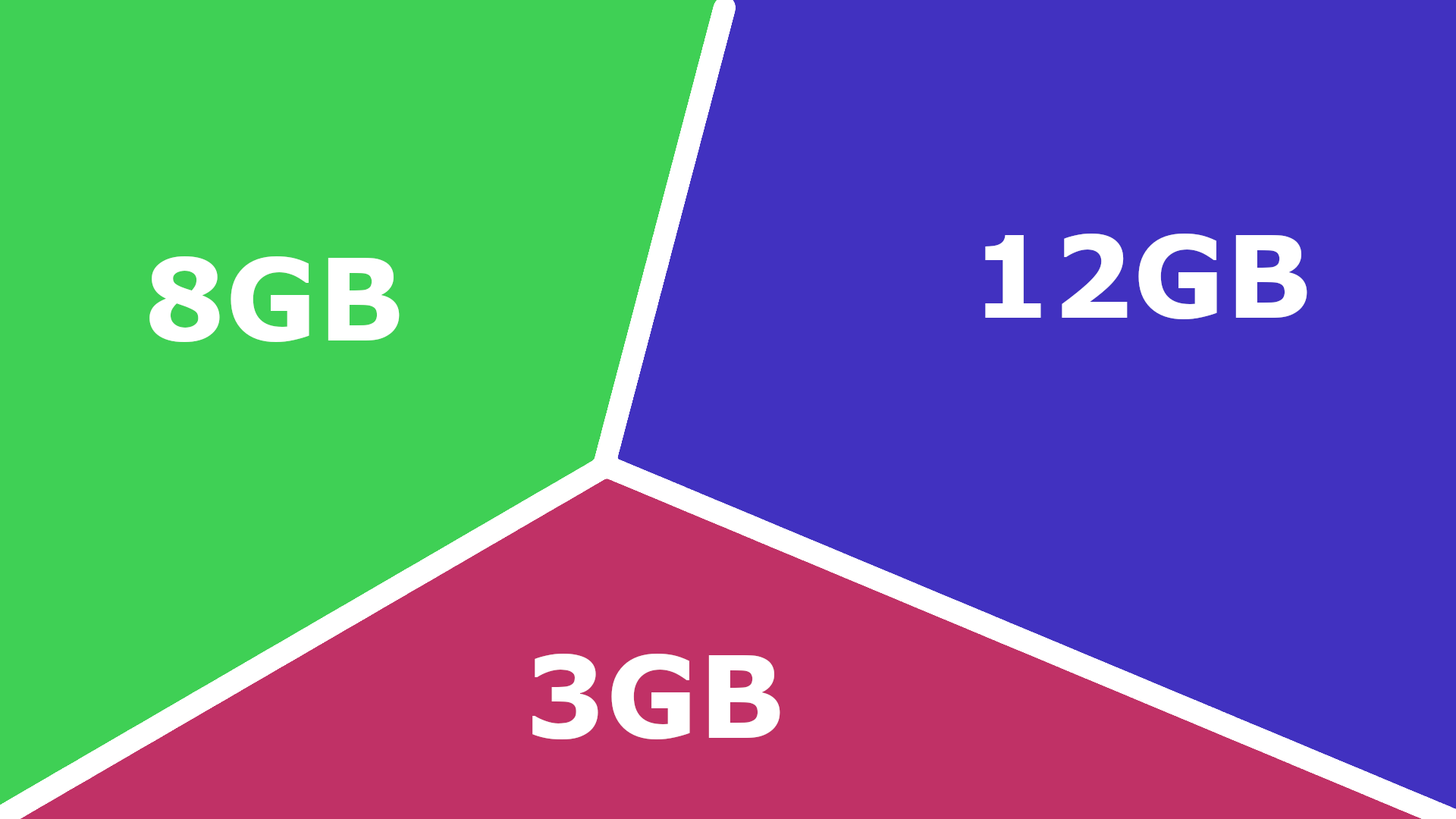
One of the ways Mint Mobile lowers prices is by offering plans that give people the amount of data they need, but doesn’t make them pay for unlimited data they don’t need. They offer plans 3, 8 and 12 GB plans.
Price Comparison
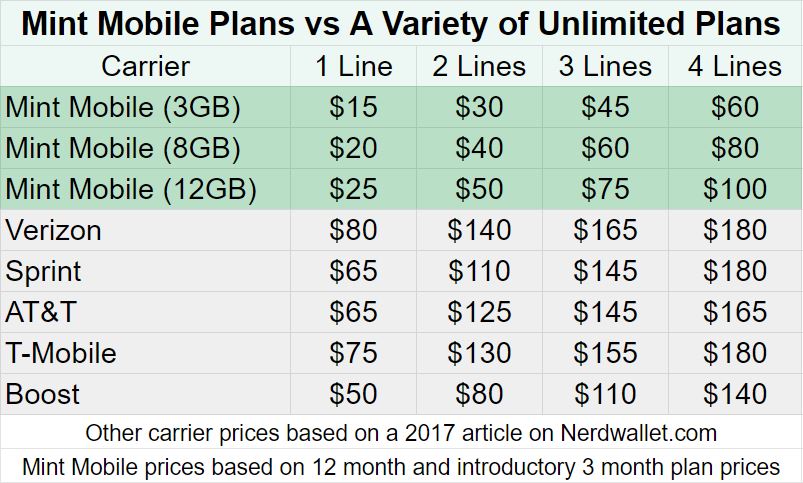
Perhaps what sets Mint Mobile apart more than anything else, is their amazing prices. Fifteen dollars a month should sound impressive on its own, but when you compare it with the prices many other companies are charging, it’s practically magical.
Which Data Plan
Is Right for You?
Mint Mobile offers three different data plans. You can get 3, 8 or 12 gigabytes per month, depending on your needs. The problem is that a lot of people don’t know how much data they need.
The information below should help you know which plan will best fit your needs.
3 GB
This is the plan I use, because most of the time I have Wi-Fi available. It’s already more than I need and it’s available for just $15/mo.
8 GB
8 GB is already more mobile data than the average American uses each month. And you can get this plan for as little as $20/mo.
12 GB
If you’re a bit of a data hog, don’t worry, this plan offers about twice as much data as the average American uses in a month. Get this plan for as little as $25/mo.
Which Data Plan
Is Right for You?
Mint Mobile offers three different data plans. You can get 3, 8 or 12 gigabytes per month, depending on your needs. The problem is that a lot of people don’t know how much data they need.
The information below should help you know which plan will best fit your needs.
3 GB
As low as $15/mo
For light data users
8 GB
As low as $20/mo.
For average data users
12 GB
As low as $25/mo
For heavy data users
3 GB
As low as $15/mo
8 GB
As low as $20/mo
12 GB
As low as $25/mo.
How to Check
Your Data Usage
The best way to see how much data you use each month is to simply find one of your recent phone bills. On your phone bill, it should tell you how much data you used that month. Knowing this makes choosing a plan simple.
If you don’t have a recent phone bill on hand, you can also find out by looking on your phone. Instructions on how to do this can be found to the right.
Phone Bill (Best Way)
The best ways to check your data usage is to look at a recent phone bill. The amount you used in that period (almost always a month) should be indicated somewhere on the bill.
With many companies, you’ll also be able to check your data usage either on their website or on their mobile app.
Android
- Tap on the settings app
- Select “Data Usage” in the settings menu (on some devices you’ll need to select “Network & Internet” and then “Data Usage”)
- You’ll see a period of time listed (should be about a 30 day period) and the amount of data you’ve used so far during that period
- Realize that you may only be partly through the period. So, for instance, if you are 10 days into the period, you’ll want to multiply the data usage by 3 to approximate your monthly usage.
iPhone
- Tap on the settings app
- Tap on “Cellular” in the settings menu (on some iPhones, it will be labelled “Mobile Data” instead)
- Scroll down to the section labelled “Cellular Data Usage”
- In that section, look at the number listed by “Current Period” to find out how much data you’ve used so far this period.
- Realize that this likely won’t be a full period. So, for instance, if you are 10 days into the period, you’ll want to multiply the data usage by 3 to approximate your monthly usage.
How to Check
Your Data Usage
The best way to see how much data you use each month is to simply find one of your recent phone bills. On your phone bill, it should tell you how much data you used that month. Knowing this makes choosing a plan simple.
If you don’t have a recent phone bill on hand, you can also find out by looking on your phone. Instructions on how to do this can be found to the right.
Phone Bill (Best Way)
The best ways to check your data usage is to look at a recent phone bill. The amount you used in that period (almost always a month) should be indicated somewhere on the bill.
With many companies, you’ll also be able to check your data usage either on their website or on their mobile app.
Android
- Tap on the settings app
- Select “Data Usage” in the settings menu (on some devices you’ll need to select “Network & Internet” and then “Data Usage”)
- You’ll see a period of time listed (should be about a 30 day period) and the amount of data you’ve used so far during that period
- Realize that you may only be partly through the period. So, for instance, if you are 10 days into the period, you’ll want to multiply the data usage by 3 to approximate your monthly usage.
iPhone
- Tap on the settings app
- Tap on “Cellular” in the settings menu (on some iPhones, it will be labelled “Mobile Data” instead)
- Scroll down to the section labelled “Cellular Data Usage”
- In that section, look at the number listed by “Current Period” to find out how much data you’ve used so far this period.
- Realize that this likely won’t be a full period. So, for instance, if you are 10 days into the period, you’ll want to multiply the data usage by 3 to approximate your monthly usage.
Mint Mobile
May be right for you if:
You don't need twice as much data as the average American
Mint offers large amounts of data, up to about twice what the average american uses, and for a fraction of the price of most mainstream unlimited plans.
You have a compatible phone
Mint Mobile works with the majority of GSM phones. If you’re not sure what that means, don’t worry, the tutorial video below will show you how to quickly find out if your phone is compatible with Mint Mobile. Chances are, it will be.
You'd like to spend as little as $15/mo for your phone service
You’re going to have a really hard time finding lower prices than what Mint Mobile offers. Believe me, I’ve tried.
Mint has been great for our family! We’ve saved a bunch of money and the service is fantastic! I’d recommend it to anyone looking for more affordable phone service!
Saved a bundle! Works like a charm! So glad we switched from the expensive plans that most people use!
When You’re Ready to Sign Up:
Step 1
Order Your SIM Card
In order to use Mint Mobile’s cellullar service, you’ll first have to order a Mint Mobile SIM card. The video to the left will show you how to do this. Or if you’d like to figure it out on your own, just click on the button below to go to Mint Mobile’s website.
Step 2
Activate Your SIM Card
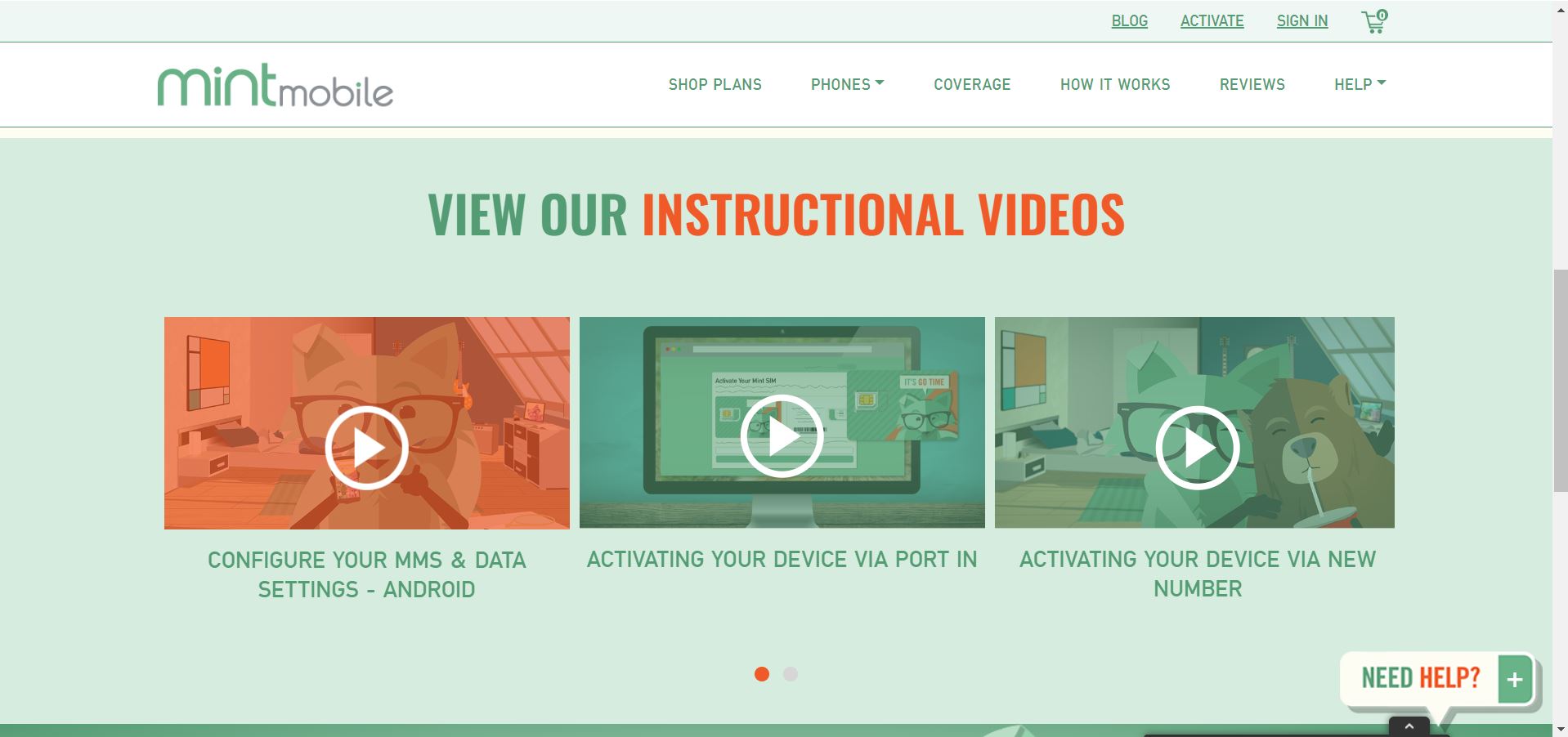
After you have received your Mint Mobile SIM card, you’ll need to activate it and install it in your phone. Don’t worry, it’s not too difficult, and Mint Mobile has some great videos to show you how.
When you’re ready, click on the button below to go to the page with those videos, then scroll down to find them. Congratulations, you’re almost done!
When You’re Ready to Sign Up:
Step 1
Order Your SIM Card
In order to use Mint Mobile’s cellullar service, you’ll first have to order a Mint Mobile SIM card. The video to the left will show you how to do this. Or if you think you can figure it out on your own, just click on the button below to go to Mint Mobile’s website.
Step 2
Activate Your SIM Card
After you have received your Mint Mobile SIM card, you’ll need to activate it and install it in your phone. Don’t worry, it’s not too difficult, and Mint Mobile has some great videos to show you how.
When you’re ready, click on the button below to go to the page with those videos, then scroll down to find them. Congratulations, you’re almost done!
Frequently Asked Questions
Should I cancel my current service before I transfer my number over to Mint?
No! If you want to keep your same phone number you, do not cancel your current service until after your Mint Mobile account has been fully activated.
Why are the prices so low? What's the catch?
There’s no catch, no gotcha. Mint Mobile is able to offer such low prices for three primary reasons:
- They sell in bulk. They let you buy phone service for 3, 6 or 12 months at a time. The more you buy in advance, the more you save.
- They don’t have any physical stores. This saves them a lot of money, which they’re then able to pass on to you.
- Unlike other companies, they don’t try to make you buy unlimited data plans, when the majority of people really don’t need that much data.
What happens if I use all my data?
Can I keep my current phone number?
Yes. You can definitely keep your phone number. You may also get a new number if you’d prefer. If you do want to keep your current number, however, just be sure that you don’t cancel your account with your current cellular provider until you have fully activated your Mint Mobile account.
In other words, don’t cancel your current cell phone service until you have installed and activated your Mint Mobile SIM card, and made a call to your number (with the Mint Mobile SIM card in your phone) to make sure your number has been successfully switched over. If you cancel before this, you risk losing your phone number.
Frequently Asked Questions
What happens if I use all my data?
Why are the prices so low? What's the catch?
There’s no catch, no gotcha. Mint Mobile is able to offer such low prices for three primary reasons:
- They sell in bulk. They let you buy phone service for 3, 6 or 12 months at a time. The more you buy in advance, the more you save.
- They don’t have any physical stores. This saves them a lot of money, which they’re then able to pass on to you.
- Unlike other companies, they don’t try to make you buy unlimited data plans, when the majority of people really don’t need that much data.
Should I cancel my current service before I transfer my number over to Mint?
No! If you want to keep your same phone number you, do not cancel your current service until after your Mint Mobile account has been fully activated.
Can I keep my current phone number?
Yes. You can definitely keep your phone number. You may also get a new number if you’d prefer. If you do want to keep your current number, however, just be sure that you don’t cancel your account with your current cellular provider until you have fully activated your Mint Mobile account.
In other words, don’t cancel your current cell phone service until you have installed and activated your Mint Mobile SIM card, and made a call to your number (with the Mint Mobile SIM card in your phone) to make sure your number has been successfully switched over. If you cancel before this, you risk losing your phone number.
We’re Here to Help
Don’t Hesitate to Reach Out
Hey there. We hope the above information has been helpful to you, but if you still have questions that haven’t been answered, please don’t hesitate to contact us using the form to the right.
During the week, we’ll generally respond within 24 hours so we can answer your questions and get you saving money as quickly as possible.